Schema (Validate / Library / Mock / Tool export)
A small JSON Schema workbench inside MyJSON.
Validate
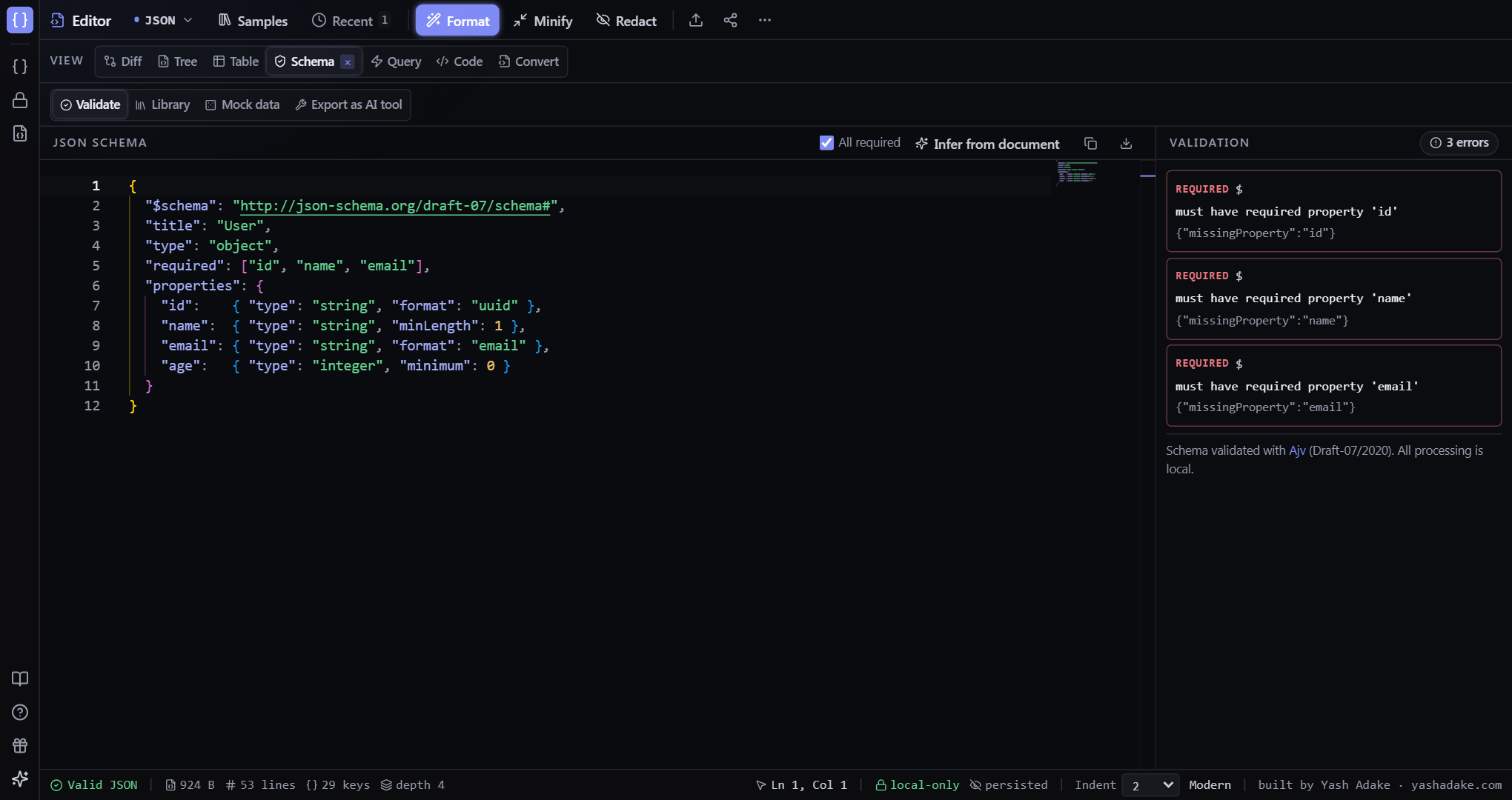
Live Ajv-powered validation. Edit the schema on the left, see violations on the right with keyword + path + message. Click `Infer from document` to generate a schema from your current editor. The `All required` checkbox controls whether sampled keys become required by default — turn it off for the optional-by-default behavior most teams prefer.
Library
Curated schemas for common APIs and configs — Stripe webhook, GitHub push, K8s Deployment, package.json, OpenAPI 3.x, tsconfig, Docker Compose, vercel.json. Clicking a card loads the schema AND a matching example into the editor so validation lights up immediately.
Mock data
Generate fake data that conforms to the schema, using `json-schema-faker`. Format hints (`email`, `uri`, `uuid`, `date-time`) produce realistic values. Pick 1 / 5 / 10 / 100 records; copy or download as JSON.
Export as AI tool
Turn your schema into a function-calling / tool-use definition for Anthropic, OpenAI, Gemini, Mistral, Cohere, Vercel AI SDK, or LangChain. Includes warnings for anti-patterns like missing descriptions or `additionalProperties: true` with strict mode.
Examples
Validate a Stripe payment_intent against the canonical schema
You're not sure your webhook handler covers every field.
- Schema tab → Library sub-tab.
- Click `Stripe webhook event`.
- Editor loads the example; right pane shows `Valid ✓`.
- Edit the editor to mismatch — violations appear in real time.
Generate test fixtures
Your tests need 50 user records that conform to your User schema.
- Paste your schema into the editor.
- Switch to the Mock data sub-tab.
- Click `100` (close enough), copy or download.
- Drop the JSON into your fixtures folder.
Wire a tool into Claude
You have a JSON Schema for a function's parameters and want the Anthropic tool format.
- Schema tab → Export as AI tool.
- Set name + description.
- Pick `Anthropic` format.
- Copy the resulting `{ name, description, input_schema }` block.