Inspection
Table view
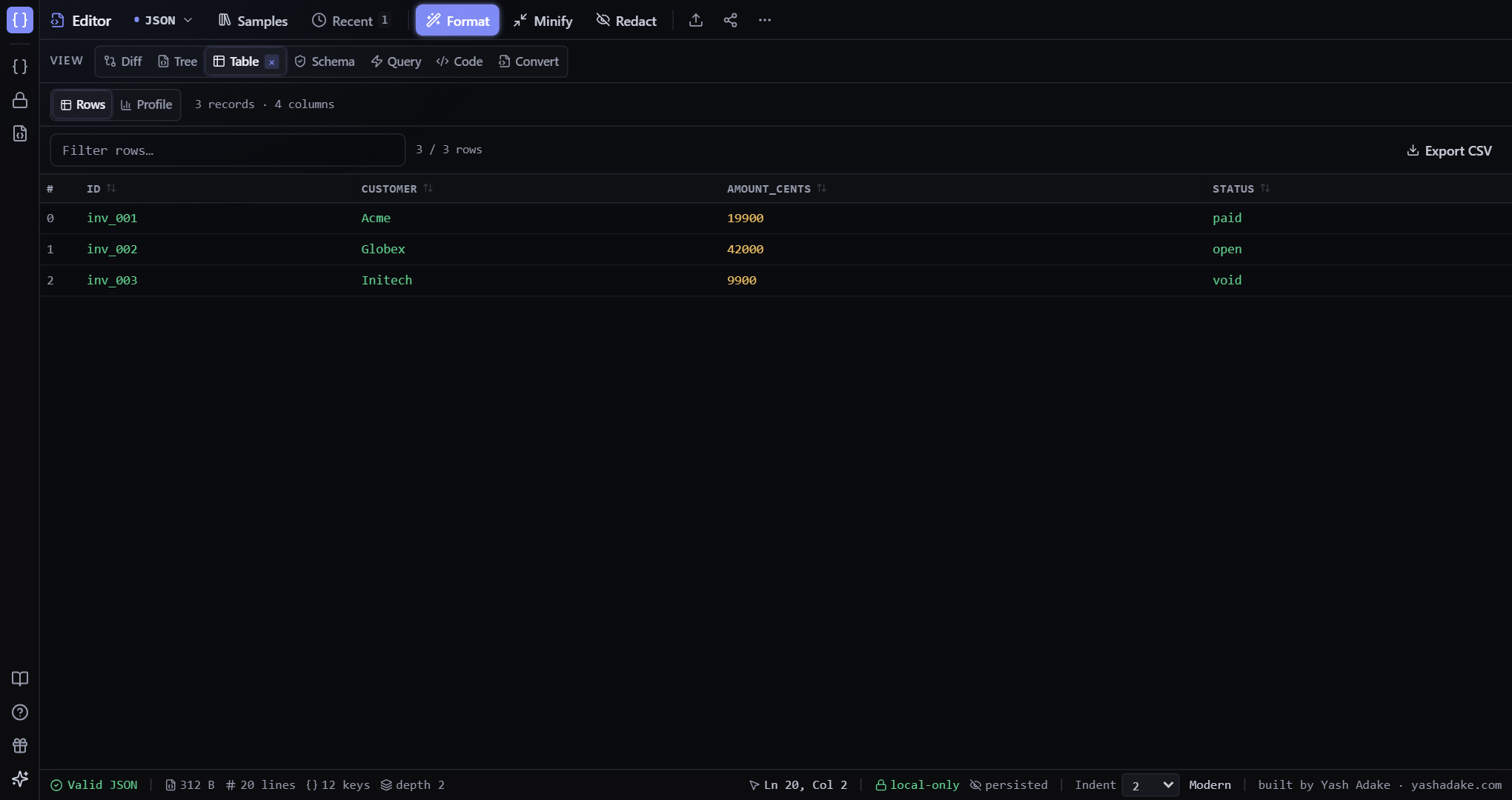
Array-of-objects → sortable, filterable table with CSV export.
Table tab in the toolbar.
Auto-flattening
Nested object fields flatten to dot-paths so every record shares a column set. Arrays inside rows show as `[N]` placeholders since cells can only hold scalars.
Sort & filter
Click any column header to sort (asc → desc → off). The filter input on top filters rows across all columns case-insensitively.
CSV export
Export CSV applies the current sort and filter — what you see is what you get. Encoding is RFC 4180 compliant; commas, quotes, and newlines inside cells are properly escaped.
Examples
Triage failing invoices
You have an array of 200 invoices and need to spot the failed ones.
- Paste the array.
- Switch to Table.
- Filter rows by `failed`.
- Click `amount_cents` header to sort descending — biggest first.
Input (json)
[
  { "id": "inv_001", "customer": "Acme", "amount_cents": 19900, "status": "paid" },
  { "id": "inv_002", "customer": "Globex", "amount_cents": 42000, "status": "open" },
  { "id": "inv_003", "customer": "Initech", "amount_cents": 9900, "status": "void" }
]