Redact (mask JWTs, emails, UUIDs, credit cards)
One-click toolbar action to mask sensitive data before sharing.
What it does
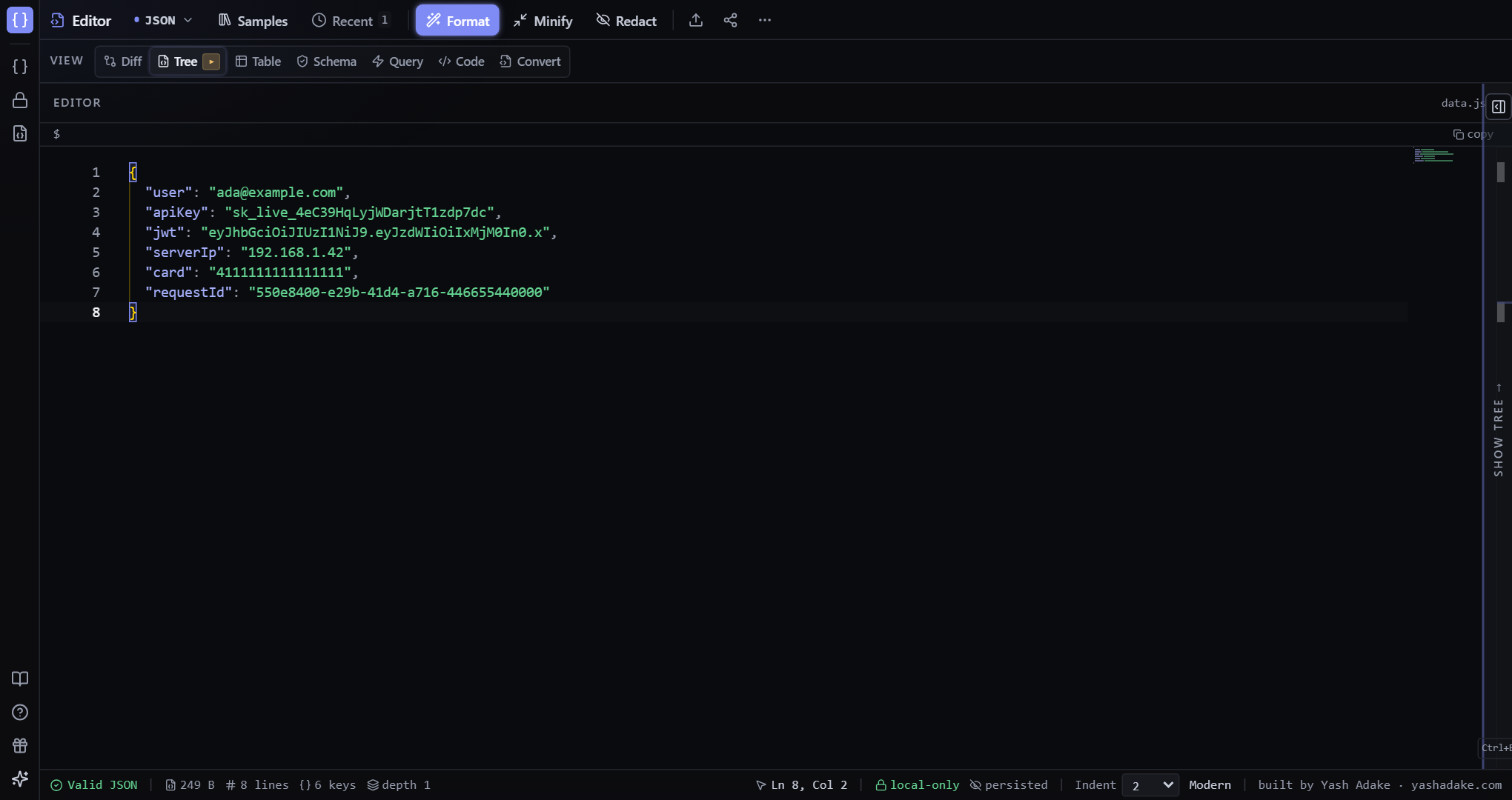
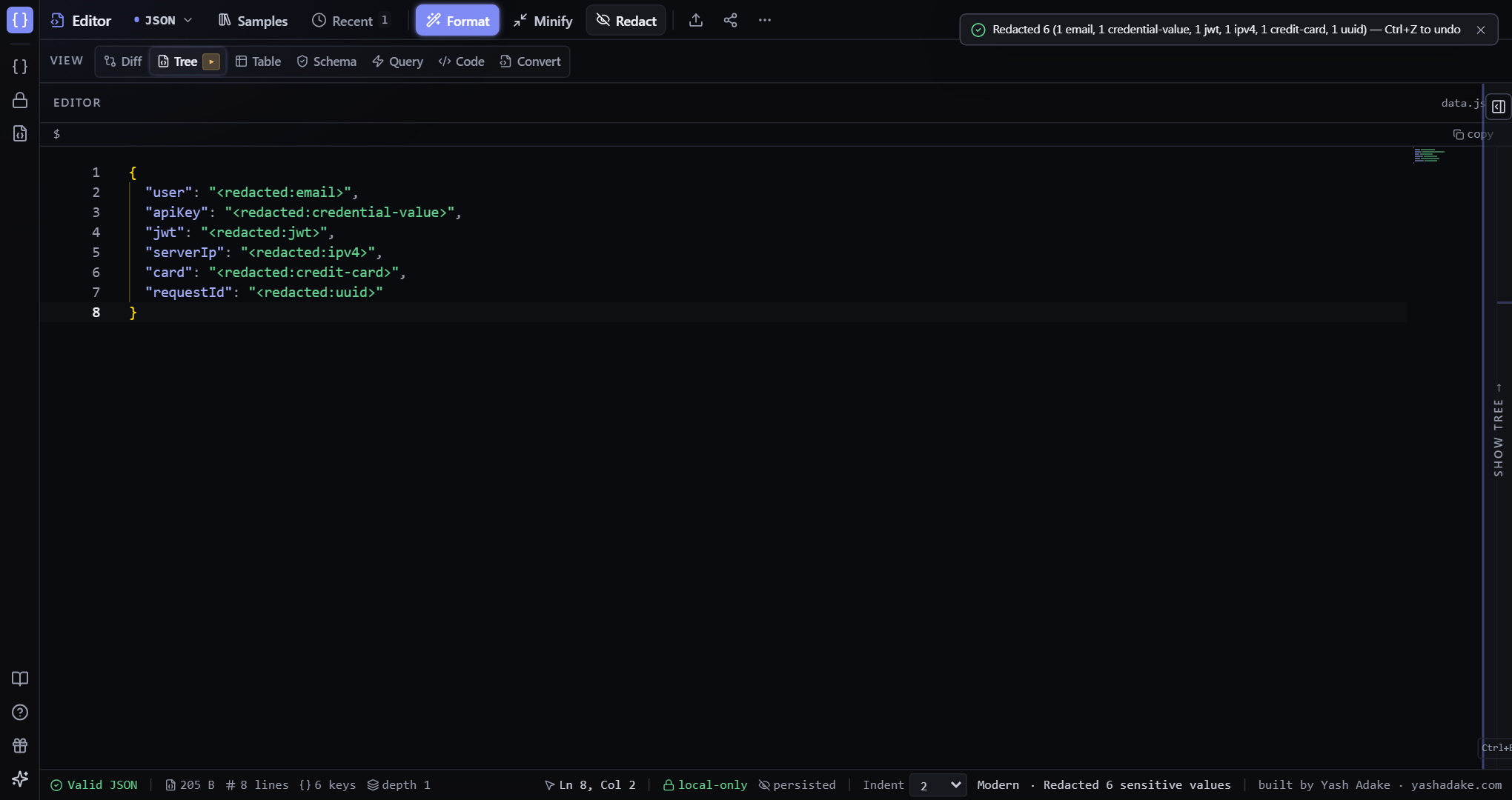
Click Redact (toolbar) to scan the entire document and replace sensitive patterns with `<redacted:type>` tags. Masked patterns include JWTs, email addresses, UUIDs, IP addresses, credit-card numbers, and credential-keyed values (API keys, tokens, secrets). The original values are preserved only on the in-memory undo stack (Ctrl+Z) — they are never written to disk.
Privacy guarantee
Originals live only in RAM on the undo stack. When you share or download after redacting, the output contains only the masks. Reload the tab (or use session-only mode) to clear the undo history and forget the originals entirely.
When to use
Before sharing a payload with a teammate, pasting sensitive data into chat, or downloading a file for external use. Session-only mode (status-bar toggle) offers an additional layer — paste secrets and they vanish on refresh even if you don't redact manually.
Examples
Mask a 500 response before sharing
An on-call dev needs to debug a 500 response, but it contains production tokens and customer emails.
- Paste the response into the editor.
- Click Redact in the toolbar (or open the Command Palette with Ctrl+P and run 'Redact secrets & PII').
- Tokens become `<redacted:jwt>`, emails `<redacted:email>`, API keys `<redacted:credential-value>`, cards `<redacted:credit-card>`.
- Copy or share the masked document. Press Ctrl+Z if you need the originals back.
{
  "user": "ada@example.com",
  "apiKey": "sk_live_4eC39HqLyjWDarjtT1zdp7dc",
  "card": "4111111111111111"
}{
"user": "<redacted:email>",
"apiKey": "<redacted:credential-value>",
"card": "<redacted:credit-card>"
}