Settings
Themes & appearance
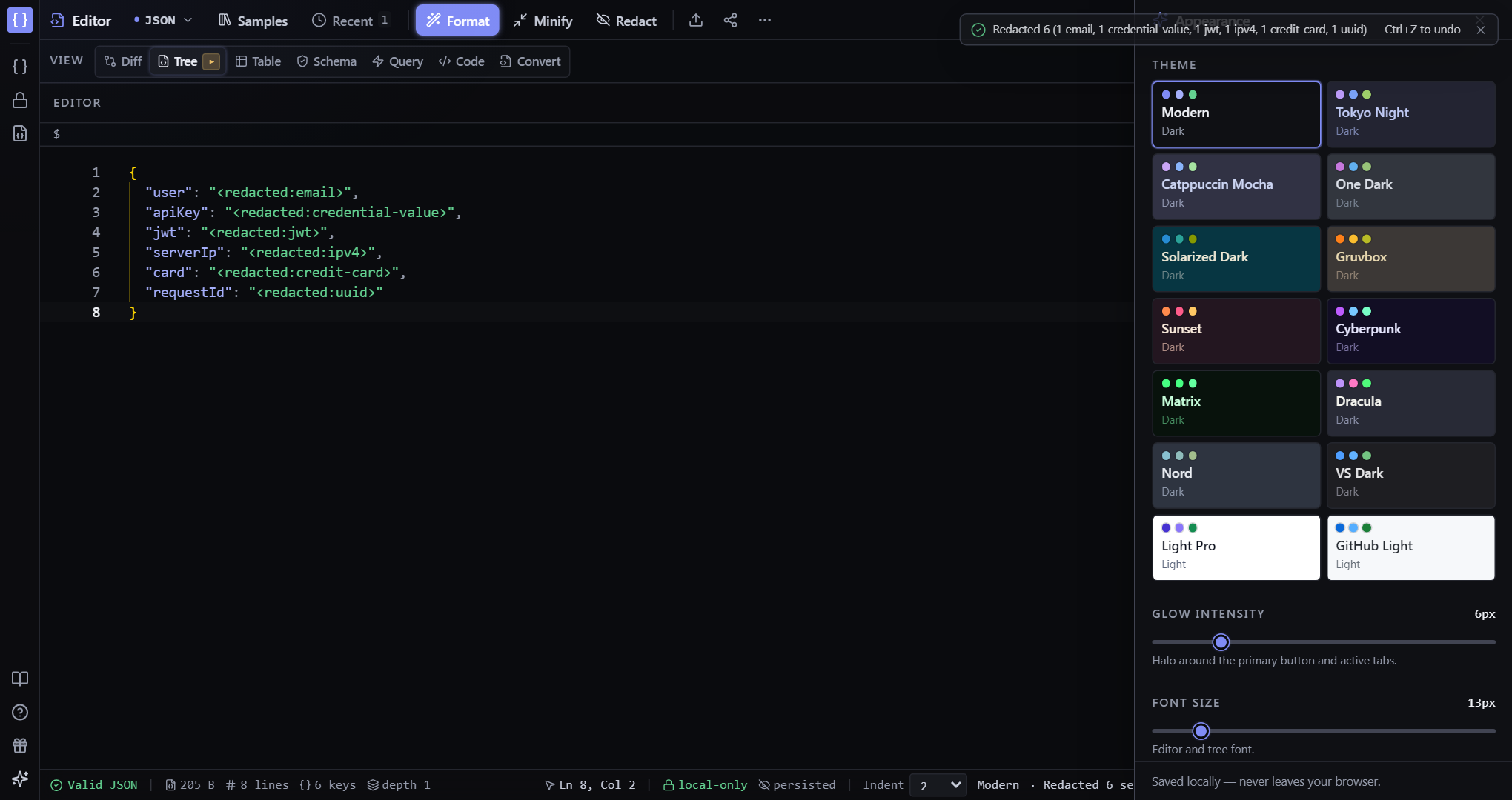
14 built-in themes, plus configurable glow / density / font-size.
Theme button in the left activity rail, or Command Palette (Ctrl+P) → 'Open appearance panel'.
Themes
14 themes — Modern (default), Tokyo Night, Catppuccin, Dracula, Nord, Gruvbox, Sunset, Cyberpunk, Matrix, GitHub Light, and more. Each one drives both the UI chrome and the Monaco editor through shared CSS variables, so everything restyles in one click.
How to open it
Click the Theme button (paintbrush) in the left activity rail, or run 'Open appearance panel' from the Command Palette (Ctrl+P). On the landing page, the Themes tile previews ten of them and 'all 14 →' opens the full panel.
TipEvery choice persists to localStorage, so your theme, density, and font size survive refreshes — no account needed.
Tweaks
Adjust glow intensity, density (compact / normal / relaxed), font size, animations on/off, and word-wrap. All saved to localStorage and applied live.